Poisson Blending vs Copy–Paste: Why Solving a PDE Eliminates Seams
The motivating question
If you’ve ever tried to copy an object from one photo into another, you’ve seen the problem immediately: seams.
Even with careful masking, edge feathering, and opacity tweaks, the composite still tends to look “pasted.” Our eyes are incredibly sensitive to discontinuities in edges and lighting, not just raw color differences.
So here’s the driving question:
Why does solving a Poisson equation eliminate seams better than any amount of feathering?
What does it mean to reconstruct an image by specifying its gradient field instead of its pixel values?
This post answers that question with a small, controlled experiment: implement a few “reasonable” naive baselines, then compare them against Poisson blending. This post includes optional “reproduce it yourself” steps using a small companion codebase (linked at the end).
Why naive copy–paste fails (even when you feather)
Let’s name the most common approaches:
- Hard mask paste: replace target pixels with source pixels inside the mask.
- Feathered mask paste: blur the mask boundary to soften the transition.
- Alpha blending: take a weighted average of source and target near the boundary.
All of these share the same foundational assumption:
Copy colors.
If your foreground object (the source) was captured under different lighting (or white balance, camera response, exposure, environment), then copying its absolute pixel values into a new background often creates an obvious boundary. Feathering can reduce harsh edges, but it often introduces haloing—a softer seam that’s still visibly wrong.
The key idea: match gradients, not colors
Poisson blending flips the problem on its head.
Instead of copying colors, it tries to copy structure:
- Gradients capture edges, texture transitions, and shape cues.
- Absolute color is flexible: we can adjust it to match the new scene.
Poisson blending reconstructs pixel values inside the pasted region so that:
- Inside the region: the image’s gradients look like the source.
- On the boundary: the image’s pixel values match the target exactly.
That’s why it feels “magical”: it doesn’t hide the seam—it removes the inconsistency that creates it.
The math
Let be the region we want to paste into the target image, and let be the unknown (reconstructed) image over .
We choose a guidance field , usually the source gradient field: .
We solve the optimization problem:
subject to a boundary constraint (Dirichlet condition):
The Euler–Lagrange equation yields the Poisson equation:
Seamless copy–paste becomes a boundary-value PDE.
Discretizing it: a sparse linear system
On a pixel grid, the Laplacian is approximated by a 5-point stencil. In its familiar form, it connects each pixel to its four immediate neighbors:
The right-hand side (b) comes from:
- the divergence term (computed from the guidance field), and
- boundary pixels pulled from the target image.
Stack these equations for every pixel in and you get:
where:
- (A) is sparse (each row touches ~5 entries),
- (u) is the vector of unknown pixel values inside (\Omega),
- (b) encodes both the guidance field and boundary constraints.
For RGB images, you solve one system per channel.
This is the core “aha”:
Gradient-domain image editing = solving a huge sparse linear system.
What the companion code implements
If you want to reproduce the figures and comparisons from this post, the companion code, find here, implements two complementary paths:
1) Practical Poisson blending (OpenCV)
OpenCV ships a production-quality implementation of Poisson blending via:
cv2.seamlessClone(src, dst, mask, center, cv2.NORMAL_CLONE)
The companion code wraps this call and uses it as the “real” Poisson baseline in the comparison grid.
2) A tiny PDE solver demo
To make the mechanism tangible, the companion code also includes a minimal Poisson solver for a small patch. The goal is not to beat OpenCV; it’s to show the mechanics:
- compute a gradient field on a small region,
- assemble a sparse Laplacian system,
- solve ,
- visualize the reconstruction.
This is a “baby version” of what OpenCV does at full scale.
The experiment: comparing methods side by side
The companion code can generate a comparison grid of:
- Hard mask paste
- Feathered mask paste
- Alpha blending
- Poisson blending (OpenCV seamless cloning)
There’s also an optional zoom crop for pixel-peeping the seam region (hair/fur, shadows, texture boundaries, etc.).
Example inputs + output artifact
The visuals for this post come from running the comparison on:
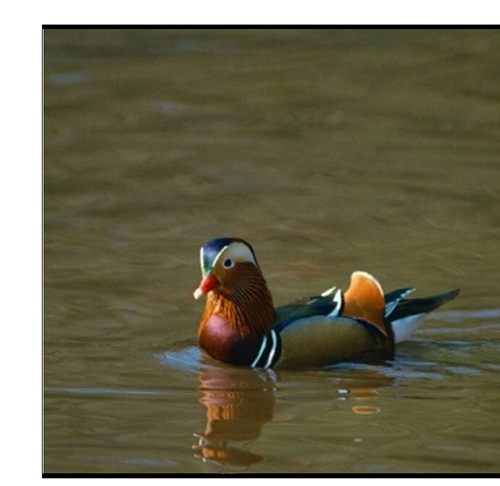
foreground/object image
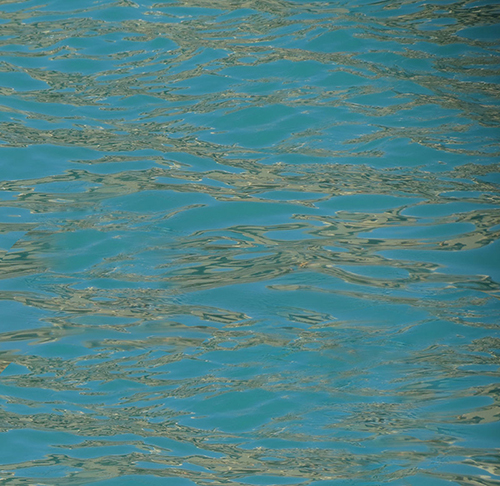
background image
The script writes a single side-by-side figure:
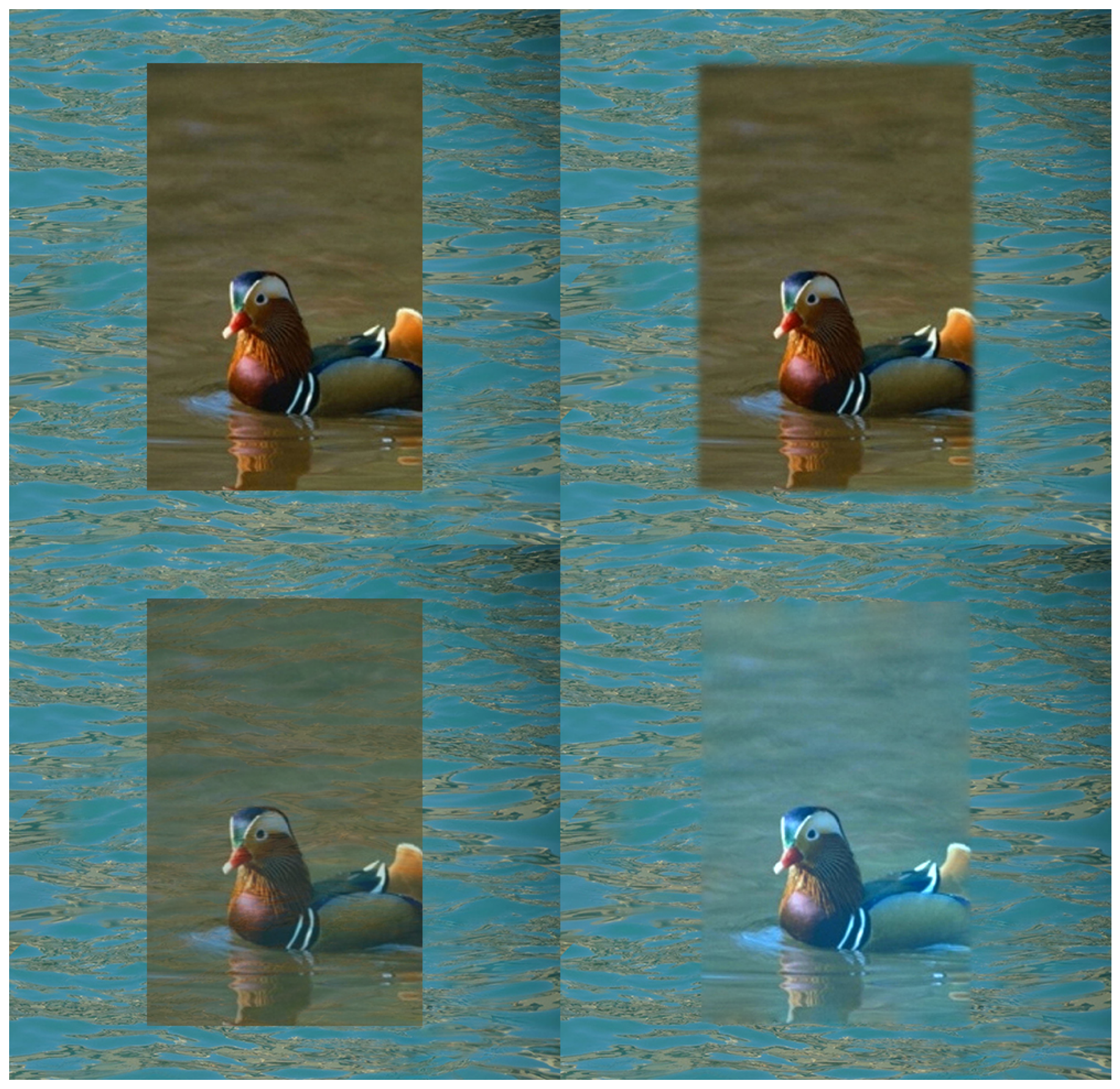
The grid comparing hard mask, feathering, alpha blend, and Poisson blending
Why Poisson blending looks “more real”
A useful mental model:
- Gradients encode perceptual structure: edges, shape, texture transitions.
- Boundary constraints force the composite to match perfectly where seams would otherwise appear.
- The Laplacian spreads corrections smoothly across the region, adapting the object’s overall intensity/color to the new context without destroying its edges.
So instead of “paint these colors here,” Poisson blending effectively asks:
“Find the image whose edges look like the source inside the region, while matching the target exactly on the boundary.”
Small, high-impact extensions
- Mixed gradients: choose the stronger gradient (source vs target) per pixel to better preserve salient edges under difficult lighting/texture conditions.
- OpenCV exposes a related mode via
cv2.MIXED_CLONE.
- OpenCV exposes a related mode via
- Ill-posed guidance fields: intentionally feed inconsistent gradients and show that Poisson reconstruction returns the closest integrable image.
- Complexity note: one sparse solve per channel; unknowns number of pixels in .
Final takeaway
Naive copy–paste edits pixel values while Poisson blending edits structure.It’s one of the cleanest “applied PDE” demos in computer vision:
Your computer solves a boundary-value problem to paste an object into a new scene without seams.
References
- Pérez, P., Gangnet, M., & Blake, A. (2003). Poisson Image Editing. ACM Transactions on Graphics.
- OpenCV documentation: seamless cloning (
cv2.seamlessClone)
Companion code
To run the side-by-side comparisons and generate the figures, refer to the companion code linked here.